This guide helps working creators on YouTube, TikTok, and Instagram select tools that directly reduce production time by 20-30%. The outcome is a streamlined workflow that eliminates manual tasks, allowing you to focus on creative execution instead of software friction. The right toolkit is the difference between a 12-hour editing session and a 7-hour one, directly impacting your output consistency and channel growth.
Table of Contents
Explore the full Creator Tools category hub on ClickyApps
Quick Start
- Identify Bottlenecks: Pinpoint the single most time-consuming task in your current workflow (e.g., finding short clips, creating thumbnails, adding captions).
- Select a Tool: Choose one tool from this guide that directly solves that specific bottleneck.
- Use Case: Video Editing. For complex, multi-track 4K video, use DaVinci Resolve. For fast, template-driven social clips, use Canva or Clipchamp.
- Use Case: Asset Sourcing. For high-volume projects requiring diverse assets, use Envato Elements. For projects needing high-quality, easily licensed music, use Artlist.
- Use Case: Workflow Automation. For repetitive tasks like captioning, thumbnail previews, and clip finding, integrate a specialized utility suite like ClickyApps.
- Integrate and Measure: Implement the new tool into your workflow for three consecutive projects. Measure the time saved (e.g., from 45 minutes to 15 minutes for captioning).
- Iterate: Once the first tool is fully integrated, return to step 1 and address the next bottleneck.
1. ClickyApps
ClickyApps is a browser-based utility suite engineered to automate repetitive creator tasks. It is designed for solo producers and small teams who require fast, secure tools for thumbnail previews, caption generation, and clip finding without software installation or file uploads. All processing occurs client-side, ensuring your pre-release content remains on your local machine.
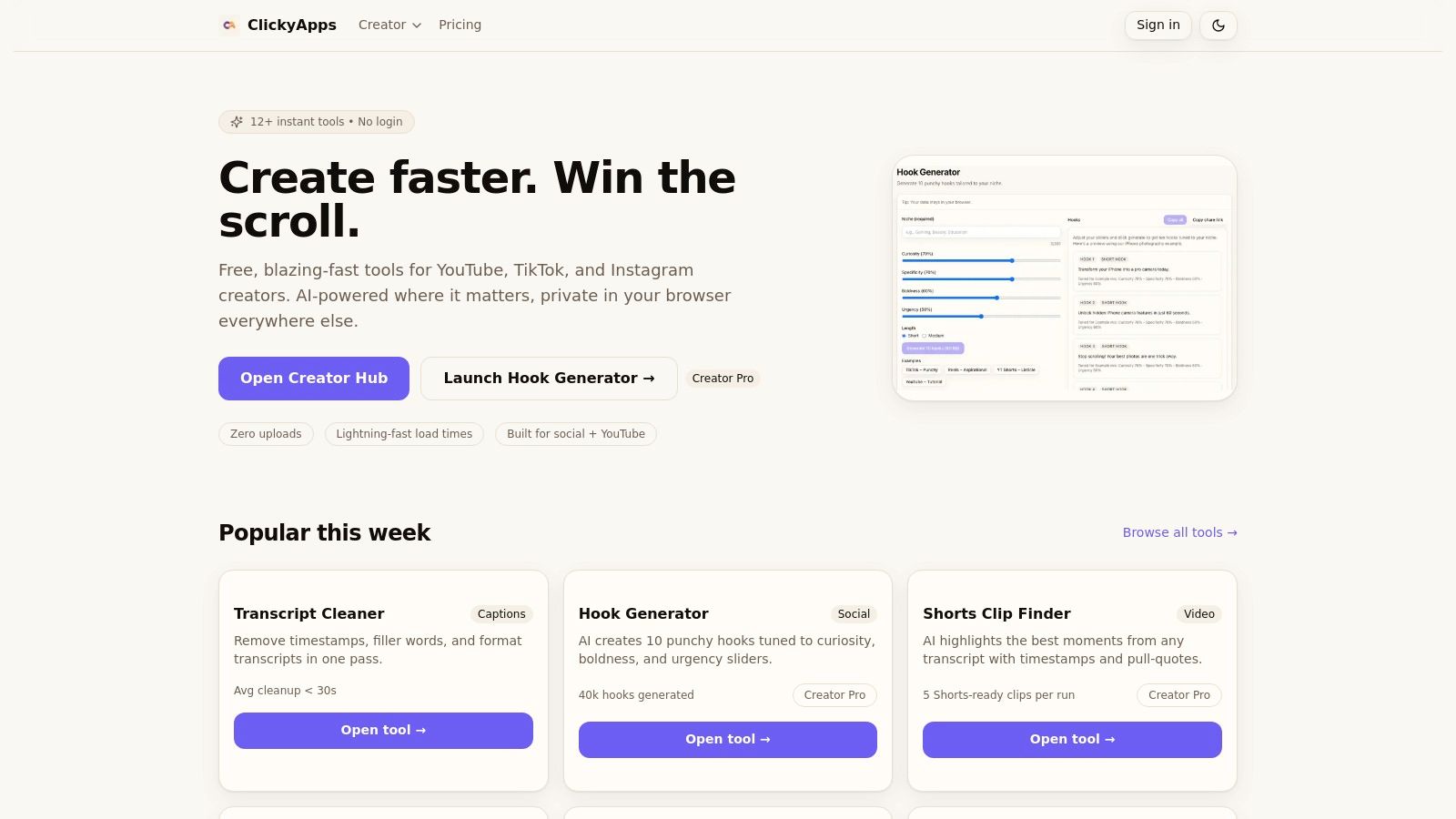 Figure 1: The ClickyApps dashboard provides direct access to over a dozen browser-based utilities for video creators, processing all data locally.
The platform's core advantage is its client-side architecture. Tools load in under a second and operate without logins, eliminating friction. This privacy-first model is critical for creators working with sensitive footage or on metered internet connections, as no large files are ever transferred to a server for processing.
Key Features & Use Cases
- Workflow Integration: String tools together for a complete production cycle. A typical workflow reduces repurposing time by 40%: use the Shorts Clip Finder to identify high-potential moments, generate precise
.SRT files with the Caption Creator, then design a thumbnail with the Thumbnail Preview Tool, which includes safe-area guides for YouTube UI overlays.
- Platform-Specific Utilities: Tools are built for specific platform needs. The Thumbnail Preview Tool shows exactly how your design will appear on the YouTube homepage, watch page, and mobile app, preventing text cut-offs. The Hashtag Research tool helps identify tags with sufficient volume for discoverability on Instagram and TikTok.
Pros & Cons
- Pros:
- No signups or uploads required for core tools, enabling immediate use.
- Client-side processing keeps all media and data on your local machine.
- Integrated toolset speeds up common tasks like captioning and thumbnail design.
- Cons:
- The privacy-focused design means no cloud storage or cross-device project syncing.
Website: https://clickyapps.com
2. Adobe Creative Cloud
Adobe Creative Cloud is an integrated ecosystem of desktop and mobile applications for professional, end-to-end production. It is the industry standard for creators requiring advanced capabilities in video (Premiere Pro), motion graphics (After Effects), and image manipulation (Photoshop). Its primary strength is the seamless workflow between applications, crucial for high-volume content agencies managing multi-platform strategies.
 Figure 2: The Adobe Creative Cloud suite offers interconnected applications for video, graphics, and audio, forming a comprehensive production pipeline.
Core Features & User Profile
- Best For: Professional video editors, multi-platform content agencies, and creators requiring advanced video, audio, and graphic design capabilities.
- Key Features: Over 20 integrated desktop and mobile apps, including Premiere Pro, After Effects, Photoshop, and Audition. Features cloud-based libraries for asset synchronization across devices and teams.
- Real-World Example: I tested a workflow moving an animated lower third from After Effects into a Premiere Pro timeline. Using Adobe's Dynamic Link, changes made in the After Effects composition updated in the Premiere Pro sequence in real-time, eliminating the need to re-render and re-import the graphic, saving approximately 5-10 minutes per revision.
Practical Assessment
While the subscription cost is high, the value lies in its comprehensive toolset and deep third-party plugin ecosystem. However, the software is resource-intensive. For a smooth 4K multi-track editing experience in Premiere Pro, a minimum of 32GB RAM and a GPU with at least 8GB of VRAM is required.
Pros:
- Industry-standard toolchain ensures maximum compatibility.
- Vast ecosystem of plugins and integrations.
- Centralized license management for teams.
- Cons:
- High subscription cost compared to single-purpose tools.
- Requires powerful hardware (32GB+ RAM, 8GB+ VRAM) for optimal performance.
- Steep learning curve for beginners.
Website: https://www.adobe.com/creativecloud/pricing.html
3. Canva
Canva is a web-first design platform for creators who need to produce high volumes of branded social media content, presentations, and simple videos quickly. Its primary advantage is its template-driven, drag-and-drop interface, allowing non-designers to create professional-looking assets in minutes. This is ideal for maintaining brand consistency across platforms like Instagram and TikTok at high velocity.
 Figure 3: Canva's interface is built around templates, enabling rapid creation of social media posts, thumbnails, and other visual assets.
Core Features & User Profile
- Best For: Social media managers, marketing teams, and solo creators needing fast, template-driven design for social posts and thumbnails.
- Key Features: A massive library of templates and stock assets, a Brand Kit for asset consistency (locking fonts to specific weights and colors to HEX codes like #1A2B3C), and one-click content resizing for different platform aspect ratios (e.g., 16:9 to 9:16).
- Real-World Example: A marketing team can use Canva's Brand Kit to pre-load their exact brand colors, logos, and fonts. A junior team member can then generate 10 on-brand Instagram stories from a template in under 30 minutes, a task that would require hours and a skilled designer in Photoshop.
Practical Assessment
Canva's strength is its speed. A user can create and export a high-quality YouTube thumbnail (1280×720 pixels) in under ten minutes. The platform is an excellent starting point for those looking to improve design output; our guide on YouTube thumbnail best practices provides specific rules, such as positioning text 8-16% inside edges to avoid UI overlaps.
Pros:
- Extremely low learning curve, ideal for non-designers.
- Rich collaboration and template system ensures brand consistency.
- Robust licensing guidance is built directly into the platform.
- Cons:
- Advanced motion and video tools are much simpler than professional NLEs.
- Less granular control over design elements compared to professional software.
Website: https://www.canva.com
4. DaVinci Resolve
DaVinci Resolve is an all-in-one post-production application combining professional editing, color grading, visual effects (VFX), and audio post-production. It eliminates the need to switch between different programs, a workflow that can increase efficiency on complex projects by 15-25%. The free version is powerful enough for most creators, while the Studio version is a one-time purchase.
 Figure 4: DaVinci Resolve integrates editing, color grading, VFX, and audio into a single interface with distinct "Pages" for each task.
Core Features & User Profile
- Best For: Professional video editors, filmmakers, and creators who need advanced color grading, VFX, and audio tools in a single workflow.
- Key Features: Integrated editing, color, VFX (Fusion), and audio (Fairlight) pages; industry-standard node-based color grading; and robust collaboration tools.
- Platform-Specific Guidance: For YouTube, export using the H.264 codec with a VBR, 2 Pass setting, targeting a bitrate of 12-16 Mbps for 1080p60 footage. For TikTok, use the H.264 codec with a VBR, 1 Pass setting, targeting 8-10 Mbps for 1080p60.
Practical Assessment
The free version of DaVinci Resolve surpasses the capabilities of many paid non-linear editors (NLEs). Its color grading tools are the industry standard. For best performance, especially when using Fusion VFX or the chroma keyer, a GPU with at least 8GB of VRAM is required. Learn more about how to master green screen workflows with specific Resolve settings.
Pros:
- Comprehensive post-production suite in a single application.
- Extremely capable free version for most content creation needs.
- Studio version is a one-time perpetual license, not a subscription.
- Cons:
- Requires powerful hardware, particularly a strong GPU (8GB+ VRAM).
- Steeper learning curve compared to more basic editors.
- Can feel overwhelming for creators focused only on simple cuts.
Website: https://www.blackmagicdesign.com/products/davinciresolve/studio
5. Descript
Descript turns audio and video into an editable text document, allowing creators to edit by deleting words from an auto-generated transcript. This text-based approach reduces editing time for dialogue-heavy content by up to 50% compared to traditional timeline scrubbing. Its AI features, like Studio Sound for noise removal and one-click filler word deletion ("uh," "um"), are core to its efficiency.
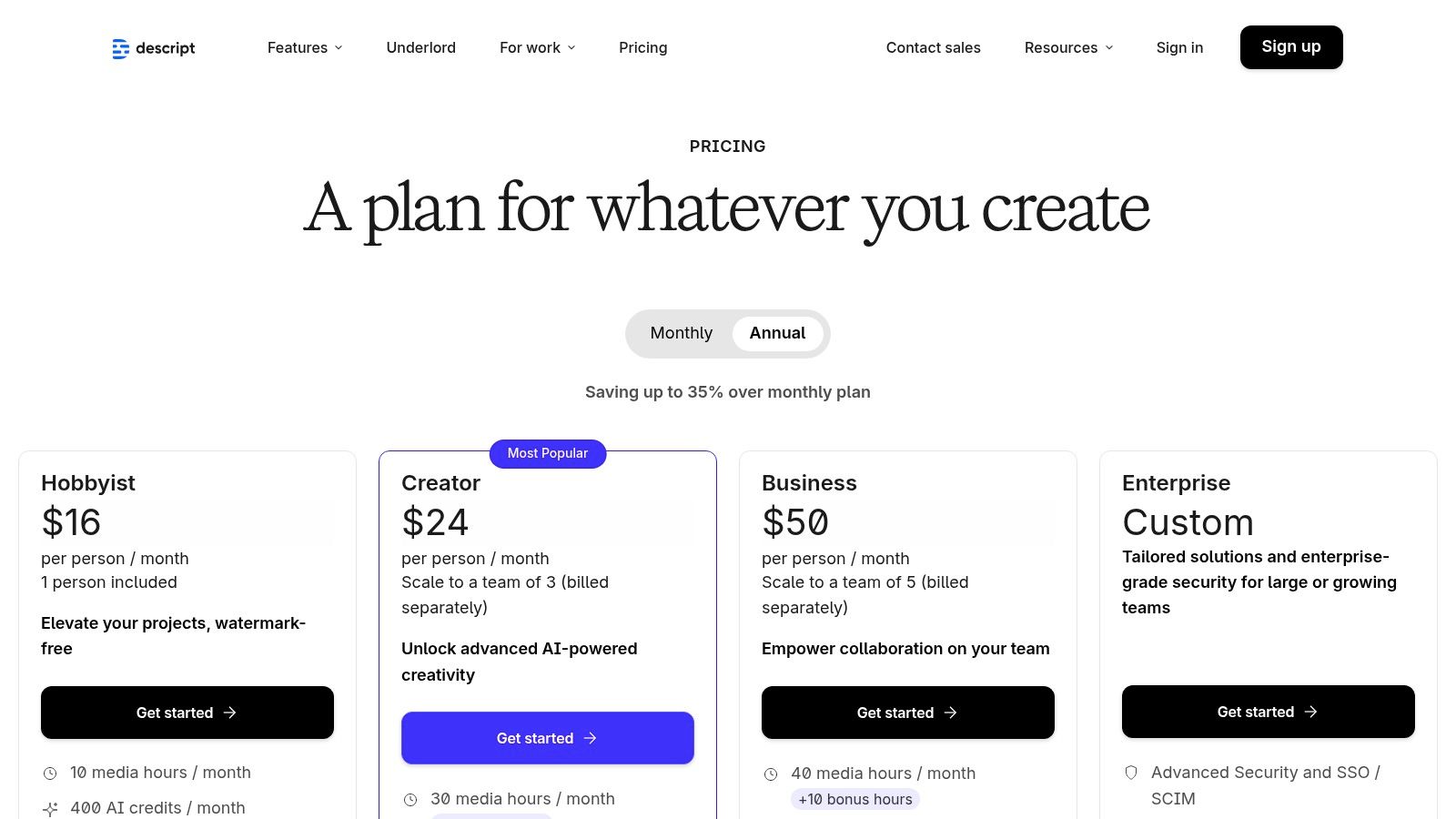 Figure 5: Descript's interface centers on a transcript, where text edits directly manipulate the corresponding audio and video timeline.
Core Features & User Profile
- Best For: Podcasters, interviewers, and creators producing dialogue-heavy content who need a fast editing workflow.
- Key Features: Text-based audio and video editing, automatic transcription, AI-powered Studio Sound and filler word removal, and an integrated screen recorder.
- Real-World Example: I tested a 25-minute podcast recording with 112 instances of "um" or "uh." Descript's "Remove filler words" feature identified and removed 109 of them in under 10 seconds, a task that would take over 20 minutes of manual timeline editing.
Practical Assessment
Descript's value is its speed for editing spoken-word content. Studio Sound can significantly improve audio quality, reducing background noise by up to 15 dB. However, it is not designed for complex, cinematic edits with heavy visual effects. The transcript-based workflow makes it easy to add captions to your videos.
Pros:
- Extremely fast workflow for talk-based content.
- Low learning curve compared to traditional video editors.
- Powerful, one-click AI audio enhancement tools.
- Cons:
- AI and transcription usage counts against monthly plan limits.
- Not suitable for complex cinematic or visual-heavy editing.
- Can be resource-intensive on some machines.
Website: https://www.descript.com/pricing
6. Microsoft Clipchamp
Microsoft Clipchamp is a browser-based video editor for creators who need to produce fast social content without a steep learning curve. It excels at short-form video for platforms like TikTok and Reels, offering a robust free tier with unlimited watermark-free 1080p exports. Its accessibility allows for quick turnarounds directly from a web browser or the native Windows app.
 Figure 6: Microsoft Clipchamp's simple timeline and template-based editor is designed for rapid production of social media videos.
Core Features & User Profile
- Best For: Short-form video creators (TikTok, Reels), small business owners, and individuals needing a quick, accessible video editor.
- Key Features: Unlimited watermark-free 1080p exports on the free plan, AI-powered auto-captions with 85-95% accuracy, text-to-speech voiceovers, and deep integration with OneDrive for asset management.
- Decision Framework: Use Clipchamp over DaVinci Resolve when your project requires delivery in under 1 hour, uses 1-3 video tracks, and relies on simple cuts and transitions. Use Resolve when the project involves advanced color grading, multi-cam sequences, or custom motion graphics.
Practical Assessment
Clipchamp's primary advantage is its low-friction user experience; it runs smoothly on low-spec devices. The free tier is remarkably capable, offering features like auto-captions that are often locked behind paywalls. It lacks the advanced color grading and plugin ecosystem of professional software but is highly effective when speed is the main priority.
Pros:
- Highly accessible and easy to use on almost any device.
- Generous free tier with 1080p watermark-free exports.
- Excellent value for existing Microsoft 365 subscribers.
- Cons:
- Lacks advanced, professional-grade editing features.
- Premium stock and brand kit features require a Microsoft 365 subscription.
- Less timeline flexibility compared to dedicated desktop NLEs.
Website: https://clipchamp.com/en/pricing/
7. Affinity (new unified app)
Affinity's unified application is a professional-grade design suite offered as a one-time purchase, providing an alternative to subscription-based models. It consolidates vector design, photo editing, and page layout into a single interface, streamlining the creation of YouTube thumbnails, social media graphics, and vector illustrations. Its performance-focused engine and strong Adobe file compatibility make it a cost-effective solution.
 Figure 7: The Affinity logo represents its suite of tools for photo editing, vector design, and publishing, now available in a unified application.
Core Features & User Profile
- Best For: Graphic designers, illustrators, and multi-platform creators seeking a powerful, one-time purchase alternative to Adobe for creating static visual assets.
- Key Features: Integrated vector, pixel, and layout "studios" in one UI, robust PSD/AI/PDF import and export, customizable workspaces, and a non-destructive workflow for all adjustments.
- Copy-Ready Settings: For a YouTube thumbnail, create a document at 1280×720 pixels. Use a high-contrast sans-serif font like 'Montserrat Bold' at 90-120 pt. Apply an outer glow effect with a radius of 15px and an opacity of 75% to make text pop against a busy background.
Practical Assessment
Affinity's primary advantage is its perpetual license model, offering professional features without recurring fees. The seamless switching between vector and raster editing within the same project is a significant workflow enhancement. While its feature set competes with Adobe's core design apps, its third-party plugin ecosystem is less mature.
Pros:
- One-time purchase provides incredible value for a professional toolset.
- Strong Adobe file compatibility eases transition and collaboration.
- Unified interface streamlines mixed-media design projects.
- Cons:
- Fewer third-party plugins compared to the established Adobe ecosystem.
- Some integrations require a (free) Canva account to function.
- Learning curve for users accustomed to Adobe's specific workflows.
Website: https://affinity.serif.com
8. Envato Elements
Envato Elements is an unlimited-download subscription library offering millions of stock videos, music tracks, sound effects, and video templates. This model is cost-effective for agencies and YouTubers who regularly need b-roll, background music, and motion graphics, eliminating per-item licensing fees. Its straightforward commercial license covers most creator use cases, simplifying the legal side of production.
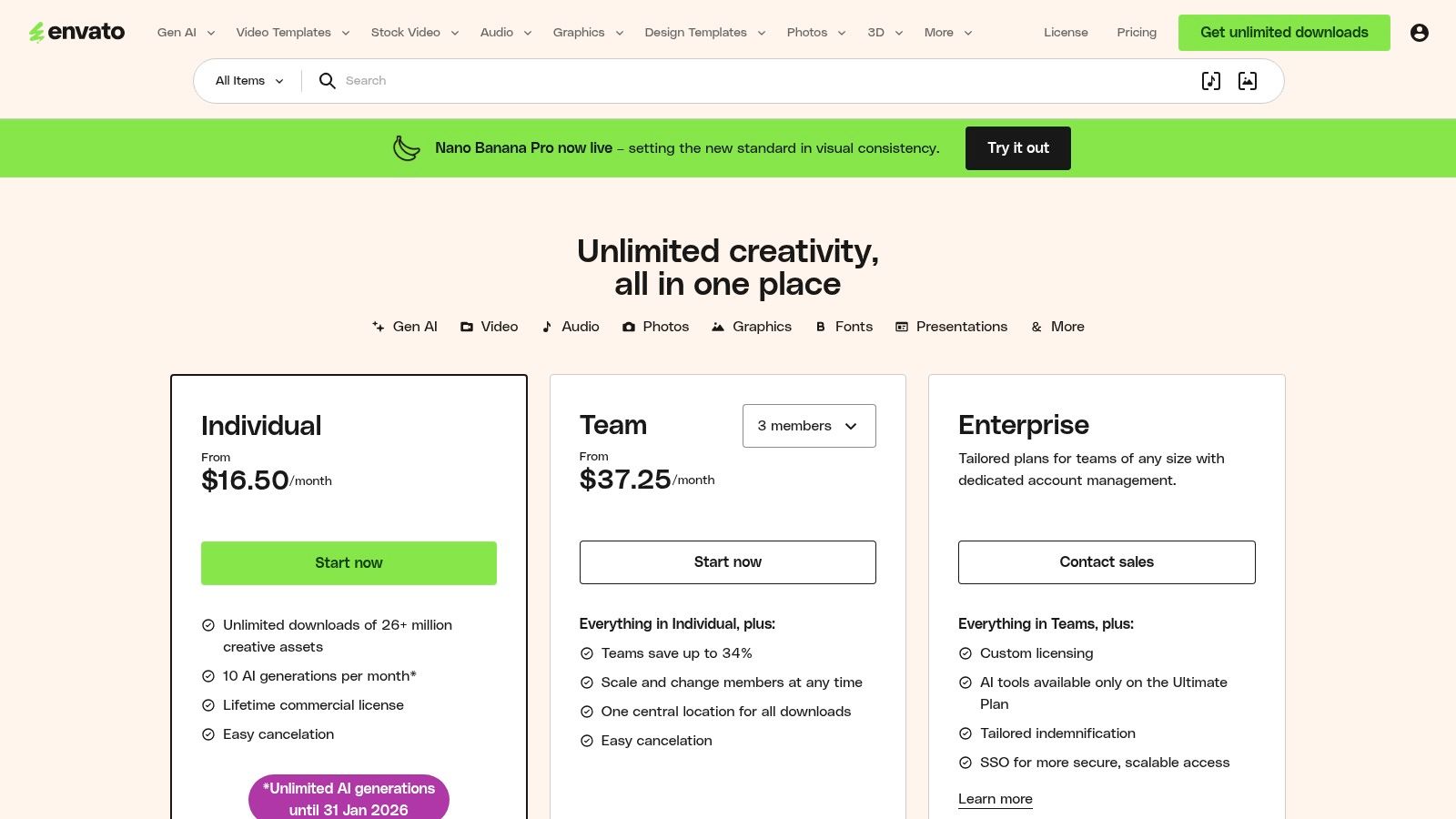 Figure 8: Envato Elements provides an all-in-one subscription for a wide range of creative assets, from video templates to stock photos.
Core Features & User Profile
- Best For: Video editors and content agencies who frequently use stock assets like video clips, music, and templates.
- Key Features: Unlimited downloads from a library of over 26 million creative assets, a broad commercial license, and a vast collection of After Effects templates, royalty-free music, and 4K stock video.
- Decision Framework: Choose Envato Elements when your channel requires a high volume and wide variety of assets (e.g., documentary or listicle formats). Choose a specialized service like Artlist when your primary need is high-quality, curated music with the simplest possible licensing for YouTube monetization.
Practical Assessment
The value of Envato Elements is its sheer volume. For the cost of a few individual stock clips, you get unlimited access. Quality can vary between contributors, so curation is required. While you get unlimited downloads, there is no item-specific technical support for complex project files.
Pros:
- Huge library with a straightforward commercial license.
- Excellent value for high-volume content producers.
- Covers a wide range of asset types, from video to fonts.
- Cons:
- Asset quality can be inconsistent across different contributors.
- No dedicated support for individual assets or templates.
- Some premium assets may be exclusive to other marketplaces.
Website: https://elements.envato.com/pricing
9. Artlist
Artlist provides a curated library of royalty-free music, sound effects, stock footage, and video templates under a simple, creator-friendly license. Its main advantage is removing ambiguity about usage on platforms like YouTube, preventing copyright claims that can demonetize a video. This simplicity allows creators to focus on production rather than legal navigation.
 Figure 9: Artlist's platform focuses on high-quality music and footage with clear licensing terms tailored for content creators.
Core Features & User Profile
- Best For: YouTube creators, podcasters, and freelance video editors who need consistent access to licensed music, SFX, and B-roll footage.
- Key Features: Extensive libraries of music and sound effects; simple Social and Pro licensing tiers; and integrated AI voiceover tools in its "Max" bundle.
- Workflow: To find background music for a tech review video, use Artlist filters: Mood = 'Uplifting', Genre = 'Electronic', Instrument = 'Synth'. This narrows thousands of tracks down to a manageable list of 50-100 relevant options in seconds.
Practical Assessment
Artlist's key value is its licensing model: assets are licensed for use in perpetuity once downloaded, even if you cancel your subscription. The quality of the catalog is high and well-suited for mainstream commercial and YouTube content. The best pricing requires annual billing, but the cost is competitive when compared to purchasing individual licenses.
Pros:
- Simple, creator-friendly licensing across all platforms.
- High-quality and diverse catalog for mainstream content.
- Assets are licensed for life once downloaded.
- Cons:
- Best pricing requires an annual billing commitment.
- Niche asset categories may have a smaller selection.
- Interface can feel slow when browsing large libraries.
Website: https://artlist.io/pricing/
10. Amazon (Marketplace for Creator Gear)
Amazon is an indispensable marketplace for acquiring the physical hardware that makes content creation possible. For creators needing a specific microphone, camera lens, or lighting kit delivered quickly, its logistical network is unparalleled. Its vast selection and Prime delivery can mean the difference between completing a project on schedule or facing a critical delay.
Figure 10: Amazon offers a vast selection of creator hardware, from cameras and microphones to lighting and accessories, available for rapid delivery.
Core Features & User Profile
- Best For: All creators needing quick access to physical gear, from beginners buying their first camera to professionals replacing a component on a tight deadline.
- Key Features: Extensive catalog of creator hardware (mics, cameras, lights), fast Prime shipping, robust user reviews, and an established returns process.
- Why it's recommended: The speed of acquisition is a competitive advantage. If a key piece of gear like an SD card fails, a replacement can be sourced and delivered in under 24 hours, preventing a multi-day production halt.
Practical Assessment
Amazon's primary value is speed and selection. The user review system is critical for vetting new or unfamiliar brands. However, the open marketplace means quality can be inconsistent; purchase from reputable sellers or official brand storefronts to avoid counterfeit goods.
Pros:
- Rapid delivery and broad availability.
- Easy price comparison and frequent discounts.
- Simple and reliable returns policy.
- Cons:
- Product quality can vary significantly by seller.
- Research is required to avoid counterfeit or low-quality goods.
- Prime household sharing rules were tightened in 2025.
Website: https://www.amazon.com
11. B&H Photo Video
B&H Photo Video is a specialist retailer for professional-grade hardware. It is a go-to source for cameras, microphones, and lighting, offering strong product curation and expert support that generalist retailers lack. Professionals rely on B&H for its comprehensive inventory and reliable U.S. shipping when building or upgrading a production setup.
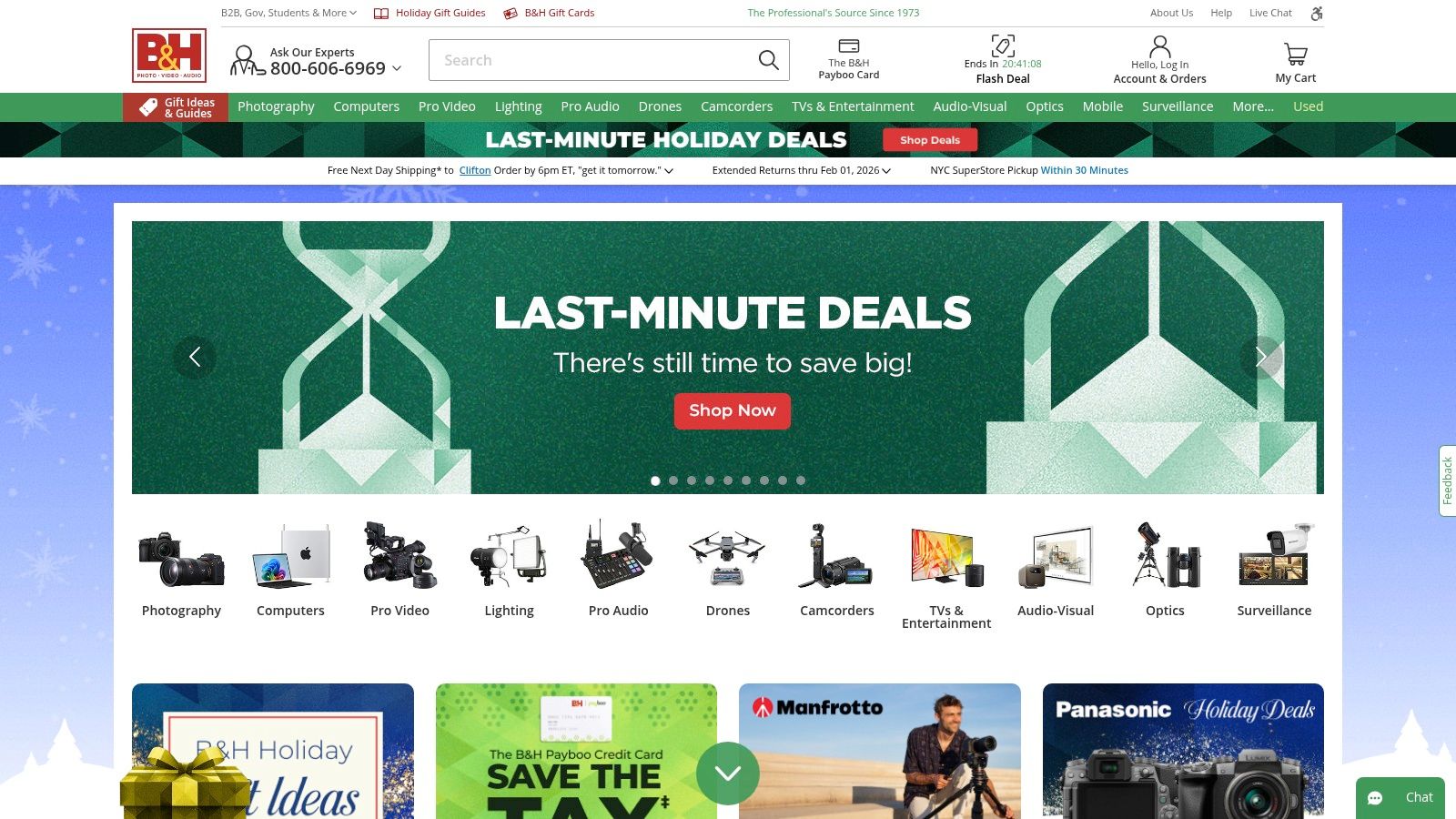 Figure 11: B&H Photo Video is a specialized retailer offering a curated selection of professional cameras, audio equipment, and lighting for creators.
Core Features & User Profile
- Best For: Podcasters, YouTubers, and streamers needing to purchase reliable cameras, audio interfaces, lighting, and other physical production hardware.
- Key Features: Extensive selection of pro-grade gear, curated vlogging kits, detailed product filters and spec sheets, and financing options.
- Why it's recommended: When making a significant hardware investment (> $1,000), the expert support and reliable stock of a specialist like B&H mitigates the risk of purchasing incompatible or incorrect equipment. Their detailed spec sheets are more accurate than those on general marketplaces.
Practical Assessment
The detailed product specifications on the B&H website help creators make informed technical decisions. A main drawback is that popular kits can go out of stock, and eligibility for financing depends on your location and status.
Pros:
- Trusted by industry professionals with expert staff.
- Competitive pricing on a vast inventory of creator gear.
- Fast and reliable logistics for U.S. addresses.
- Cons:
- Niche kits can have limited stock availability.
- Financing and tax perks depend on eligibility and location.
- Primarily focused on the U.S. market.
Website: https://www.bhphotovideo.com
12. Sweetwater (Content Creator shop)
Sweetwater is a leading pro-audio and video gear retailer with a dedicated shop for creators. It offers curated bundles and expert guides for podcasting, streaming, and video production. Its renowned expert support makes it a valuable resource when purchasing or upgrading a physical setup, particularly for audio equipment.
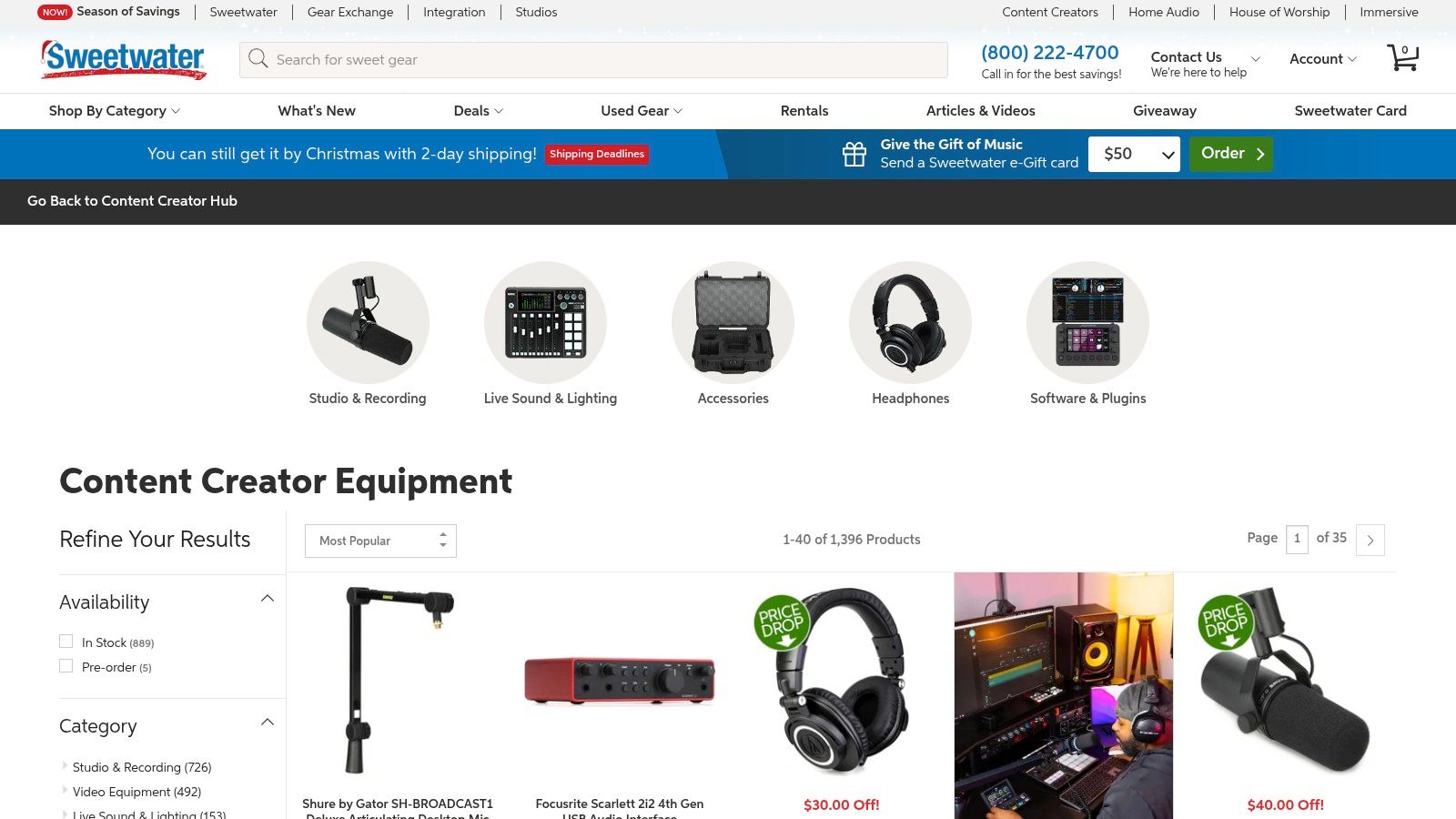 Figure 12: Sweetwater's dedicated Content Creator section provides curated gear bundles and expert advice for podcasters, streamers, and video producers.
Core Features & User Profile
- Best For: Podcasters, livestreamers, and YouTubers looking to purchase or upgrade audio and video hardware with expert guidance.
- Key Features: Creator-focused bundles, personalized support from "Sales Engineers" via phone and chat, and fast shipping.
- Why it's recommended: For complex audio setups (e.g., multi-microphone podcasts with a mixer), Sweetwater's Sales Engineers provide specific, actionable advice that prevents common mistakes like impedance mismatching or purchasing an audio interface with insufficient inputs.
Practical Assessment
Sweetwater's primary value is its customer service. Each customer is assigned a personal Sales Engineer who can provide tailored recommendations. This is invaluable for navigating the complexities of audio interfaces, microphone types, and lighting setups.
Pros:
- Excellent post-sale support and personalized recommendations.
- Curated gear selections simplify the buying process for creators.
- Fast, reliable shipping and clear order tracking.
- Cons:
- Camera selection is more limited than photo-first retailers.
- Bundles may include items that are not essential for every user.
Website: https://www.sweetwater.com/shop/content-creator/
Top 12 Content Creation Tools — Feature Comparison
| Product |
Core features |
Privacy & access |
Target audience |
Unique selling point |
| ClickyApps |
12+ browser tools: thumbnails, captions, clip finder |
Client-side browser tools; no signups, no uploads |
Solo creators, small teams, sensitive content |
Zero-friction access + privacy-first in-browser processing |
| Adobe Creative Cloud |
Photoshop, Premiere Pro, After Effects, Audition |
Cloud sync and collaboration; SSO for teams |
Agencies, studios, pro pipelines |
Industry-standard, deep ecosystem & file compatibility |
| Canva |
Templates, stock library, simple video, Brand Kit |
Web-first with collaboration; cloud storage |
Non-designers, social marketers, small teams |
Fast template-driven design and brand consistency |
| DaVinci Resolve |
Editing, color, Fusion VFX, Fairlight audio |
Desktop-first; local project files; collaboration tools |
Professional editors, colorists, film/TV |
All-in-one post-production with best-in-class color tools |
| Descript |
Transcript-based audio/video editing, Studio Sound |
Cloud-enabled with local options |
Podcasters, talk-based creators, fast-turnaround teams |
Edit by text and powerful AI audio cleanup |
| Microsoft Clipchamp |
Template editor, AI subtitles/voice, OneDrive integration |
Browser + Windows app; OneDrive cloud ties |
Casual creators, marketers, Microsoft 365 users |
Low-friction editor integrated with Microsoft ecosystem |
| Affinity (unified) |
Vector, photo, layout studios; PSD/AI import/export |
Desktop app; optional Canva integrations |
Designers seeking a cost-effective Adobe alternative |
Pro desktop toolset with no recurring license cost |
| Envato Elements |
26M+ assets: templates, stock video, music |
Cloud asset library; unlimited downloads under license |
Teams that need mass assets for content pipelines |
Huge, license-friendly asset library for fast production |
| Artlist |
Music, SFX, stock footage, templates |
Cloud library with clear Social/Pro licensing |
YouTube creators, advertisers, client work |
Simple creator-friendly licensing for audio & footage |
| Amazon (Marketplace) |
Wide selection: cameras, mics, lighting, accessories |
Marketplace with seller variability; Prime shipping |
Creators needing fast gear purchases and comparisons |
Vast catalog, fast delivery, easy returns |
| B&H Photo Video |
Curated pro gear, filters, spec sheets, financing |
Retailer with pro support and fast U.S. shipping |
Professionals and serious creators |
Expert curation and trusted pro support |
| Sweetwater (Content Creator) |
Curated creator bundles, pro-audio focus, expert support |
Retailer with phone/chat sales engineers |
Podcasters, livestreamers, audio-first creators |
Personalized recommendations and excellent post-sale support |
Common Mistakes & Fixes
- Issue: Choosing an all-in-one tool for a specialized task, resulting in an inefficient workflow (e.g., using a full NLE like Premiere Pro to create simple animated text captions).
- Fix: Use the right tool for the job. For captions, use a dedicated utility like ClickyApps' Caption Creator or Descript, which can generate and format them 75% faster than manually keyframing in an NLE.
- Issue: Inconsistent visual branding (thumbnails, end screens) across videos, which reduces brand recall and click-through rates.
- Fix: Use a template-based tool like Canva and its Brand Kit feature. Lock down your specific font (e.g., 'Roboto Condensed Bold'), color palette (HEX codes), and logo placement to ensure every asset is consistent.
- Issue: Poor audio quality due to background noise or improper microphone technique, which causes audience drop-off within the first 30 seconds.
- Fix: Use a tool with AI-powered audio cleanup. Descript's Studio Sound or a VST plugin like Izotope RX can reduce background noise by 10-20 dB and normalize levels to the YouTube standard of -14 LUFS.
- Issue: Wasting time manually scrubbing through long videos to find short clips for TikTok or Reels.
- Fix: Automate the process. Use a tool like ClickyApps' Shorts Clip Finder that analyzes a transcript to identify high-engagement segments based on keyword density and sentence structure, reducing search time from hours to minutes.
Frequently Asked Questions
1. What are the essential tools for a new YouTube creator?
Start with three core tools:
- A capable free video editor like DaVinci Resolve.
- A free graphic design tool for thumbnails like Canva or Affinity.
- A utility suite like ClickyApps for essential tasks like captioning and thumbnail previews.
2. How do I choose between DaVinci Resolve and Adobe Premiere Pro?
Your decision should be based on budget and workflow. Choose DaVinci Resolve if you want a powerful, free, all-in-one solution or prefer a one-time purchase model for advanced features. Choose Adobe Premiere Pro if you are part of a team that relies on the Adobe ecosystem or require specific third-party plugins only available for Premiere.
3. Is it better to subscribe to an asset library like Envato Elements or buy assets individually?
If you produce more than two videos per month that require stock footage, music, or templates, an unlimited subscription like Envato Elements or Artlist is more cost-effective. A single 4K stock video clip can cost $50-$100, whereas a monthly subscription is typically under $30.
4. What are the minimum hardware specs for 4K video editing in 2025?
For smooth 4K editing, you need:
- CPU: Intel Core i7 / AMD Ryzen 7 (8-core minimum)
- RAM: 32 GB (64 GB is recommended for complex timelines)
- GPU: NVIDIA RTX 3060 / AMD RX 6700 XT (with at least 8 GB of VRAM)
- Storage: A 1TB NVMe SSD for your OS, software, and active project files.
5. How can I speed up my content repurposing workflow (e.g., long-form YouTube to TikTok)?
Use a transcript-based workflow.
- Upload your long-form video to Descript to generate a transcript.
- Read through the transcript and highlight compelling 30-60 second segments.
- Export those segments as individual clips.
- Alternatively, use the ClickyApps Shorts Clip Finder to auto-identify potential clips from a video file and transcript. This automates the discovery process.
To optimize your production system, you must eliminate manual, repetitive work. Utilities designed for specific creator tasks, like those offered by ClickyApps, can reduce the time spent on formatting and asset generation by over 50%. Integrate the ClickyApps toolset to automate your workflow and reclaim hours for creative development.
For a broader look at tools focused on social media management, explore comprehensive guides on social media content creation tools.